
Data loss can be a stressful experience, whether it involves a corrupted file, a damaged hard drive, or an accidentally deleted document. Fortunately, professional data recovery services offer solutions that can help individuals and businesses retrieve valuable lost data. Understanding the steps involved in a professional data recovery process is crucial, as it can provide insight into how experts approach these complex problems and the techniques used to ensure the highest chance of recovery.
In this article, we will explore the various stages of the data recovery process, from initial assessment to final recovery, highlighting the tools and methods that data recovery professionals use to restore lost data.
Stage 1: Initial Consultation and Assessment
The data recovery process begins with an initial consultation. This is where the service provider gathers information about the issue at hand. The key elements assessed at this stage include:
Understanding the Problem
During the consultation, the recovery service will ask questions to understand the nature of the problem. These questions typically cover the following:
- Symptoms of failure: Was the device working fine before the data loss? Did you notice any unusual behavior, such as strange noises, error messages, or system crashes?
- Error messages or alerts: If you received any error messages, the recovery team will ask for specific details.
- Recent events: Did you recently make any changes to the system, such as software updates, hardware changes, or file transfers that could have triggered the problem?
- Type of data loss: Was the data lost due to physical damage, logical failure, accidental deletion, or corruption?
By gathering this information, the recovery team can better assess the situation and determine the most appropriate recovery method.
Diagnostic Testing
After the initial consultation, the data recovery team will begin diagnostics. This step involves assessing the physical and logical health of the storage device. If the device is a hard drive (HDD), SSD, or any other storage medium, technicians will run a series of tests to evaluate its condition.
- Physical damage: If the device shows signs of physical failure, such as making clicking noises, failing to spin up, or emitting unusual sounds, it may be physically damaged. In such cases, the drive may need to be opened in a clean room to prevent contamination and further damage.
- Logical failure: If the drive is functioning but data is inaccessible or corrupted (due to issues like virus attacks, file system corruption, or accidental deletion), the team will begin working on software-based recovery techniques.
At the end of this stage, the recovery team will be able to provide a clear understanding of what happened, the chances of recovery, and an estimated timeline for the process. They will also give the customer a cost estimate, outlining the complexity of the recovery and any potential risks.
Stage 2: Device Disassembly and Inspection (If Necessary)
If the device shows signs of physical failure, such as damage to the mechanical components or a malfunctioning read/write head, it will need to be disassembled in a controlled environment. This stage is one of the most crucial steps in the recovery process, as it requires specialized equipment and skills.
Clean Room Environment
Physical recovery typically occurs in a clean room environment, a dust-free and controlled space that ensures no particles contaminate the device’s internal components. The clean room is essential for HDD and SSD recovery because even the smallest speck of dust or dirt can further damage the delicate internal parts of the drive.
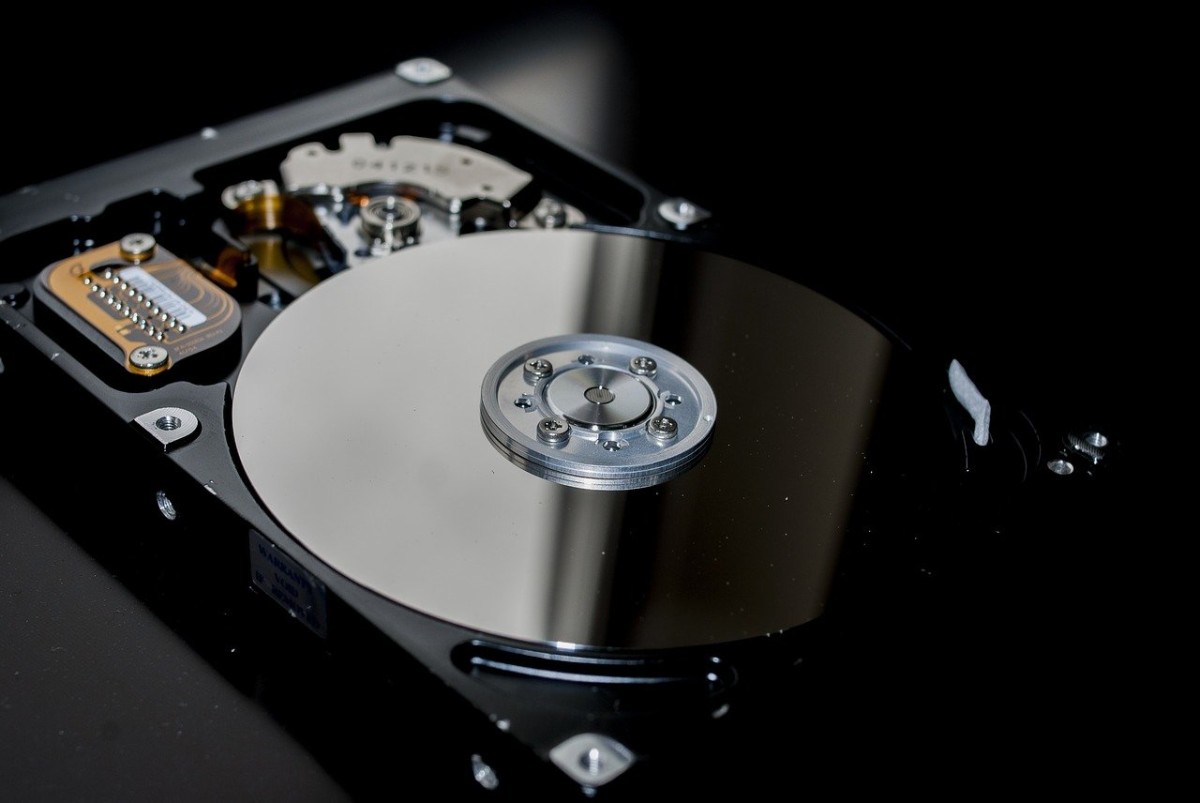
In this environment, technicians will carefully open the hard drive or SSD to inspect the internal components, such as the platters, read/write heads, and memory chips. For HDDs, the platters are the disks where data is stored, and even the slightest scratch or damage to them can make data retrieval impossible.
Replacing or Repairing Faulty Components
Once the internal components are inspected, the team may proceed with replacing or repairing the faulty components. For example:
- Read/Write Heads: If the read/write heads are damaged, they may need to be replaced with a working pair. In many cases, technicians can swap out the damaged heads with functional ones to read the data from the disk.
- Motor or Spindle Repair: In cases where the motor or spindle is malfunctioning, the technicians might attempt to repair or replace the motor to enable the platters to spin properly.
In the case of an SSD, recovery often involves specialized tools that allow the technicians to work with the flash memory chips, bypassing damaged controllers or connectors.
Stage 3: Imaging the Drive and Data Extraction
Once the physical components are repaired, or if the device is in good physical condition but still experiencing logical failure, the next step is to create an image of the device. Imaging involves creating a byte-for-byte copy of the entire drive onto a separate, functioning storage medium. This process is essential to preserve the integrity of the original drive and minimize the risk of further data loss during recovery attempts.
Why Imaging Is Crucial
Imaging is a standard practice in professional data recovery for several reasons:
- Preservation of Data: By creating an image, the original drive is not altered or overwritten, which preserves the data and increases the likelihood of a successful recovery.
- Minimized Risk: Attempting to recover data directly from the faulty drive could lead to more severe data loss, especially in cases of unstable devices. Imaging ensures that any additional recovery efforts are made on the copy, not the original source.
- Recovery Flexibility: Once the image is created, the recovery team can work on the copy of the drive as long as necessary without risking further damage to the original device.
Extraction of Data
After the image is made, the data extraction process begins. If the issue was caused by logical failure, the data recovery software will attempt to rebuild the file system and recover lost files from the image. In cases of corrupted or damaged sectors, the software uses advanced algorithms to bypass the bad sectors and retrieve the remaining data.
At this stage, the recovery team may also attempt to recover files that were deleted or lost due to formatting. Depending on the nature of the damage, the success of this process can vary, but experienced technicians will use state-of-the-art recovery software and techniques to maximize the chances of success.
Stage 4: Data Recovery and Validation
Once the data has been extracted from the drive image, the recovery team will carefully review and validate the recovered files. The data recovery experts will ensure that the files are intact, usable, and accessible.
File Integrity Check
During this stage, the team will check the integrity of the files to ensure they are not corrupted or incomplete. This step is crucial in cases where the data has been damaged, as there may be file fragmentation or errors. For example:
- Database Files: If the recovery involves a database file, the integrity check will verify that all records are intact and that the database can be opened properly.
- Media Files: For photos, videos, or music files, the recovery team will check whether the files open correctly and are not corrupted or damaged.
If there are any issues with the recovered files, the team may attempt further techniques to repair the files or use specialized software to restore them to a usable state.
Stage 5: Return of Recovered Data
Once the data has been successfully recovered, the final step is to return the data to the customer. This typically involves transferring the recovered files to a new storage medium, such as an external hard drive, SSD, or cloud storage.
The recovery service will ensure that the recovered files are organized and accessible for easy retrieval. At this point, the customer is usually provided with a report detailing the recovery process, the data recovered, and any specific challenges encountered during the recovery.
Conclusion
The professional data recovery process is a detailed and methodical procedure that requires a combination of specialized equipment, technical expertise, and careful handling of damaged devices. Whether dealing with physical damage, logical failure, or corruption, data recovery professionals use a structured approach to maximize the chances of success. From diagnostic testing and disassembly in a clean room environment to the final extraction and validation of files, every step is crucial to ensuring the highest possible recovery outcome.
While data recovery can never be guaranteed, working with experienced professionals offers the best chance of restoring valuable files. It’s important to remember that time is often of the essence in data recovery, and seeking expert help early can significantly improve the chances of a successful recovery.